Coupon code automation means a code goes into every place it belongs when you add it, and comes back out on its own when it expires. Mine runs on n8n and Airtable. I paste a code into one table and link it to the posts it’s for. Within 30 minutes it’s in those blog posts and on my deals page, within the hour it’s in the matching YouTube descriptions, and the morning after it expires, it’s gone from all three. A generator below builds yours.

This post contains affiliate links. If you sign up through one, I earn a commission at no extra cost to you. I only point to tools I actually use or would recommend.
I’d do it… but not on time
I review products on Jen Tried It, and brands send me discount codes for their stuff. Some come straight from the brand, some from Levanta, and some from Amazon Creator Connections, where the code is sitting in the campaign description or I message the brand and ask for one.
Before I built this, a code went one of two ways. It sat on the page long after it expired, or it never made it to the page at all. YouTube was the worst. I’d rarely go back and edit a video description, so most of those codes just never got there. A blog post might get the code eventually, but not quickly.
The fix wasn’t going to be me getting more organized. I’d do it… but not on time! So now I don’t have to add codes by hand or remember to take them down, and there aren’t dead codes sitting all over my posts and videos.
What does coupon code automation do?
It keeps every code in one table and makes the blog, the deals page and YouTube match that table. Mine is six small n8n workflows, and each one does a single job:
- Brand Inquiry Intake. A brand fills out the Work With Me form on Jen Tried It. The workflow saves it to Airtable, drafts a reply in my Gmail, and sends the brand a confirmation email.
- The approval bounce. When I mark an inquiry Approved, this one creates a Products row, plus a Coupons row if the brand included a code.
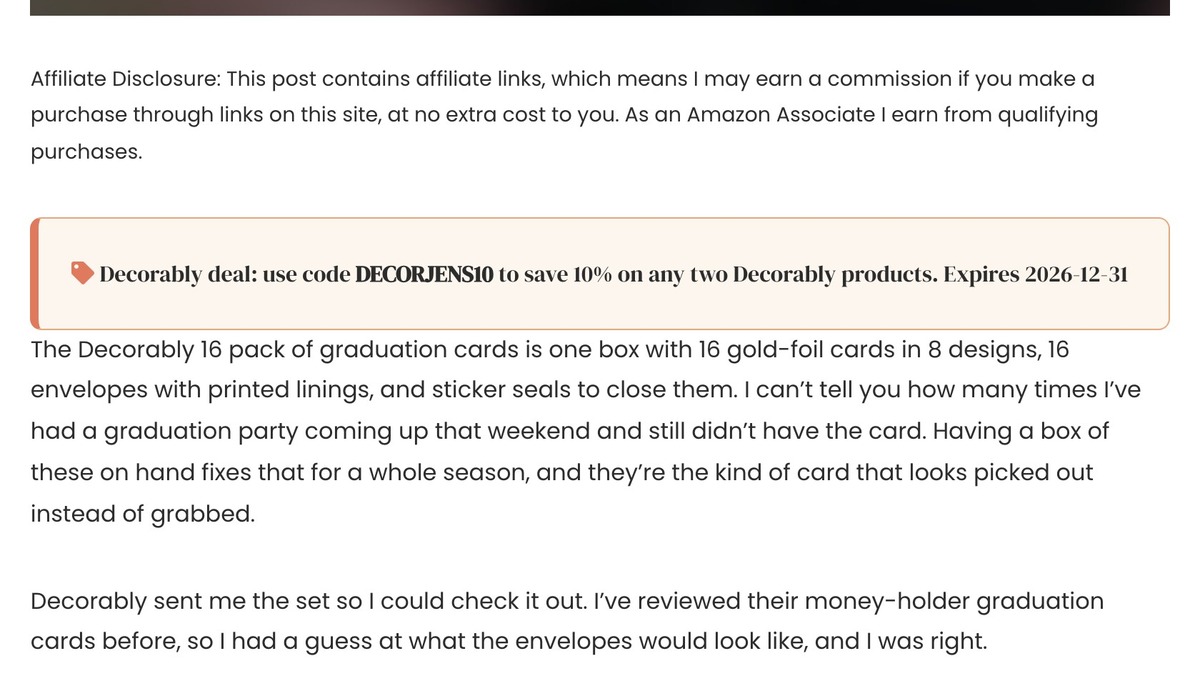
- Blog Propagator. Every 30 minutes, it finds new active codes and adds a coupon box to each linked blog post, right under the affiliate disclosure. Then it rebuilds my deals page.
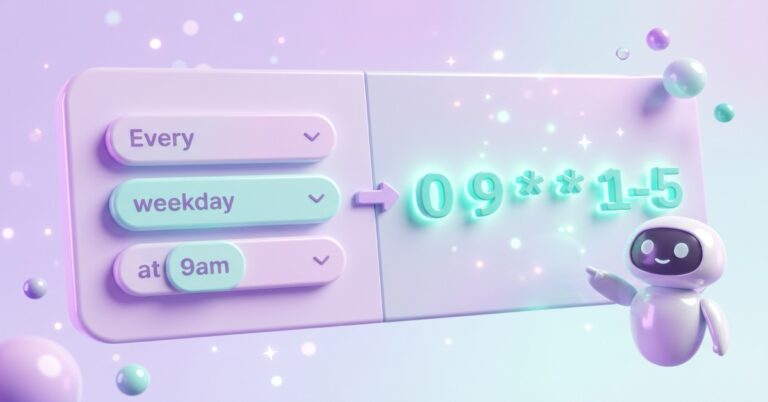
- Blog Sweeper. Every morning at 9, it finds codes past their expiration date, pulls the box out of each post, marks the code Expired and rebuilds the deals page.
- YouTube Propagator. Every hour, it adds an ACTIVE COUPON block to the description of each linked video.
- YouTube Sweeper. Once a day, it removes that block from any video whose code expired.
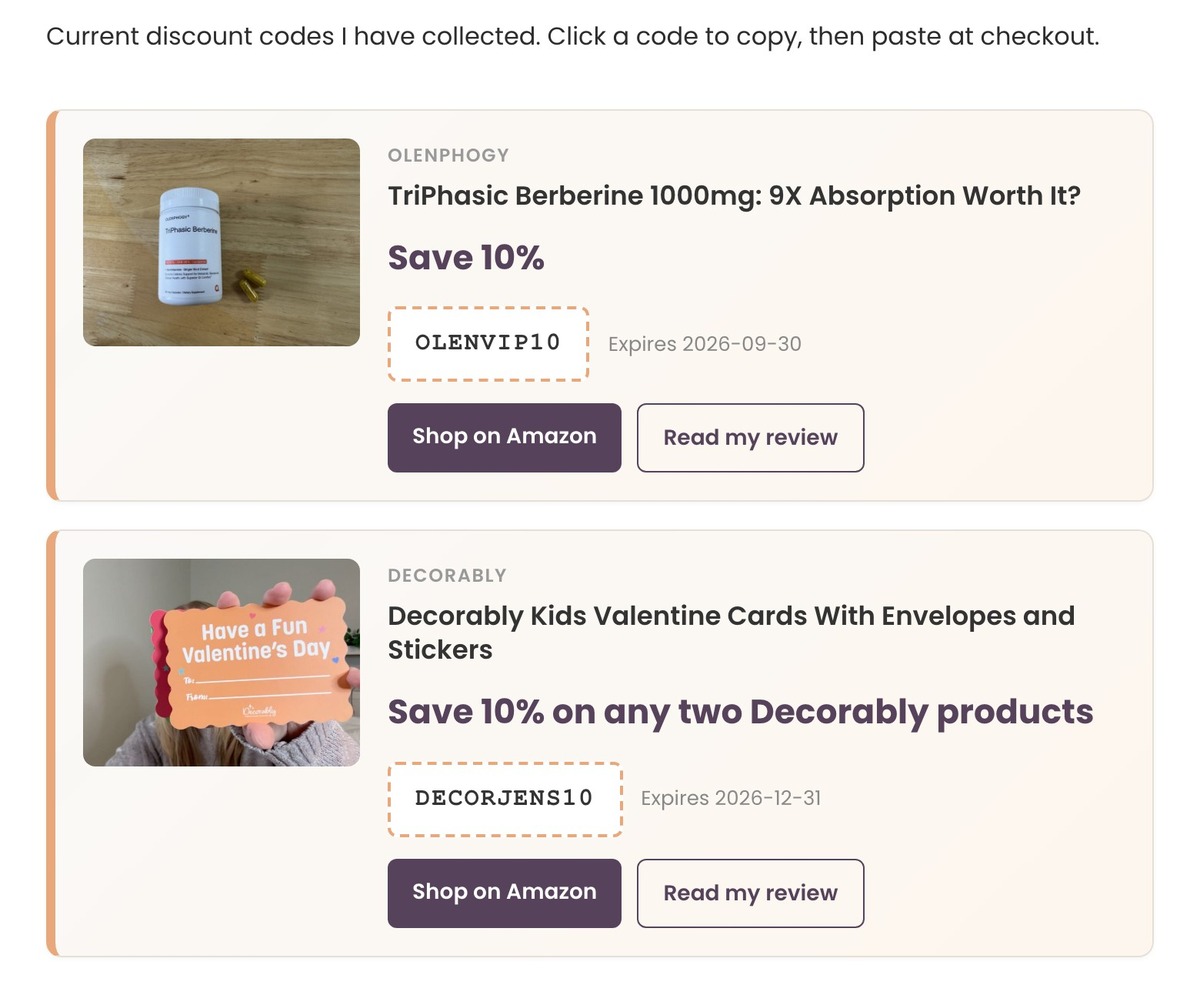
The coupon box on a post is one plain line, like this real one: “Decorably deal: use code DECORJENS10 to save 10% on any two Decorably products. Expires 2026-12-31.” The deals page is every active code in one place, and Levanta promo codes land there too, from their own table, once I approve the deal.
Who is coupon code automation for?
It’s for you if you review products in more than one place, get codes from brands, and have old posts and videos those codes belong in. Blog plus YouTube is where it pays off, because editing a video description is the step that never happens by hand.
Skip it, or go smaller, if this sounds like you:
- You have one code on one post. Paste it in and set a reminder. Six workflows for one code is a lot of plumbing.
- You don’t want a database. The whole thing hangs off a table of codes and a table of posts. Without that, nothing knows which code goes where.
- Your codes live on a store you own. Shopify and WooCommerce handle expiry for their own discounts. This is for codes that live in your content, not your checkout.
What do you need to build coupon code automation?
- n8n, cloud or self-hosted. Mine is self-hosted on a Hostinger VPS. Self-hosted costs you the server, cloud is a monthly plan.
- Airtable, free plan to start. It holds the codes, the posts, the videos and the brand inquiries. A different database works if n8n can read and write it.
- WordPress with an application password, so n8n can edit your posts through the REST API. Any WordPress site has this built in.
- A YouTube connection in n8n, only if you want the video descriptions updated. It’s a Google sign-in, free.
- A form, optional. Mine is the Work With Me page. You can skip the intake and paste every code in yourself, the way I do with Creator Connections.
Here’s where each code source enters the system:
| Where the code comes from | How it gets into the table | Where it shows up |
|---|---|---|
| A brand directly | They fill out the form, I approve it | Linked posts, deals page, linked videos |
| Amazon Creator Connections | I paste it in myself | Linked posts, deals page, linked videos |
| Levanta | Its own workflow pulls it into a separate table, and I approve the deal | Deals page |
How does coupon code automation work?
Every code is one row in a Coupons table, and the workflows read that row on a timer. The row has the code, what it saves, the expiration date, a Status of Active or Expired, and links to the blog posts and videos it applies to. The workflows never talk to each other. They just watch the table.
The part that makes it safe to run on old posts is how the box goes in. The propagator wraps each coupon box in two invisible HTML comments that carry the coupon’s record ID. The sweeper finds that exact pair and removes everything between them, so it never touches the words I wrote around it. My posts don’t care that a robot was in there.
Three date fields keep the workflows from redoing work every run:
- Activated At gets stamped when the code lands on the blog. The blog propagator skips any row that already has one.
- YouTube Sync At gets stamped when the code lands in the video descriptions.
- YouTube Sweep At gets stamped when the code comes back out.
The part I always forget
Those stamps are also the confusing part. When a brand changes a code, I always forget if it’s a status change or what. It isn’t. The Status stays Active. You fix the code, then clear Activated At and YouTube Sync At, and the next runs put the new code everywhere. If the code had already expired, you also flip Status back to Active, clear YouTube Sweep At, and push the expiration date out, or the 9 a.m. sweep takes it right back down.
That’s four fields to remember for one change. So while writing this post, I added a Re-sync checkbox to my own table, plus a small seventh workflow that watches it. I check the box, and within 15 minutes it clears the right fields and brings an expired code back if I moved the date out. The generator builds that checkbox in from the start.
Building it, in order
- Build the Coupons table first, with a Status field, an expiration date, the three stamp fields and a link to your posts table.
- Build the blog propagator and test it on one post you don’t mind breaking.
- Build the blog sweeper and test it with a code that expired yesterday.
- Add the YouTube pair once the blog side works.
- Add the form and the approval bounce last. They’re a nice extra, not a requirement.
Get the generator
The generator asks where your codes come from, where your content lives, whether you want a deals page and YouTube updates, and how you’d rather build it. Then it writes you a prompt you can paste into Claude or ChatGPT to walk you through the whole system, a skill for Claude Code, or both.
Every version keeps the pieces I’d hate to lose: the marker comments around each box, the stamp fields so nothing runs twice, and the Re-sync checkbox I wish I had. Paste the prompt into a chat, or save the skill as SKILL.md in its own folder under ~/.claude/skills/.
What it doesn’t do
It doesn’t put two codes on one post. The blog propagator clears every coupon box off a post before adding the new one, so the newest code wins. For me that’s fine, since one product review usually means one brand.
It doesn’t find codes for me. Every code still starts with me, pasting it in or approving a form. Levanta is the one exception, and those only go to the deals page, not into posts.
It doesn’t know a code stopped working early. If a brand kills a code before its expiration date, the sweeper has no idea. The date in the table is the only thing it trusts.
It doesn’t catch a changed code on its own. Editing the code in the table does nothing until I check Re-sync, and if I move an expired code’s date but forget the box, it stays down.
Frequently asked questions
How do I automatically remove expired coupon codes from my blog?
Keep every code in a table with an expiration date, and run a daily workflow that finds codes past that date and removes them from each linked post. Mine runs at 9 a.m. in n8n and edits the posts through the WordPress REST API. Wrapping each coupon in marker comments is what lets it remove only the coupon.
Can n8n update YouTube video descriptions?
Yes. n8n has a YouTube node, and my workflows read the current description, add or remove a coupon block, and save it back. Keep the video’s title, tags and category in the update, because YouTube’s API expects them when you change the description.
How do I add a discount code to old blog posts?
Link the code to the posts it belongs on, then have a workflow add a coupon box to each one. Mine puts the box right under the affiliate disclosure, so it’s near the top without touching the review. Doing it by hand works for a couple of posts, but it’s the removal you forget.
Do I need Airtable for coupon code automation?
No. You need a table that n8n can read and write, with the code, the expiration date, a status and links to your posts. Airtable is what I use. A Google Sheet or n8n’s own data tables can hold the same fields.
What happens when a brand changes a coupon code?
Fix the code in the table and check Re-sync. A helper workflow clears the sync stamps within 15 minutes, and the next runs replace the old code everywhere it was.
Try it yourself
Coupon code automation is one table of codes plus a few scheduled workflows. It puts each code where it belongs and pulls it on its expiration date, so there are no dead codes left on your posts or videos.
Start with the generator above and build the blog side first, since that’s what you’ll test fastest. Once it’s running, point each workflow at an n8n error workflow so you hear about it if a sweep ever fails.
A tool I built
Porch Pile
Track your whole Amazon Influencer operation, every product, video, and brand deal, so one glance tells you what to film next.
Start your pile →I run an affiliate program on the tools I build. Approved affiliates earn 20% on what their referrals pay, for up to a year. US only for now. See the program →
Related reading
- n8n Error Workflow: How I Stop Finding Out Days Later
- Self-Host n8n on Hostinger: I Used the One-Click Template
- n8n Schedule Trigger Not Working? Mine Never Ran for 7 Weeks
Subscribe if you haven’t already. There are plenty more builds I haven’t written up yet. Go forth and automate the boring stuff.