


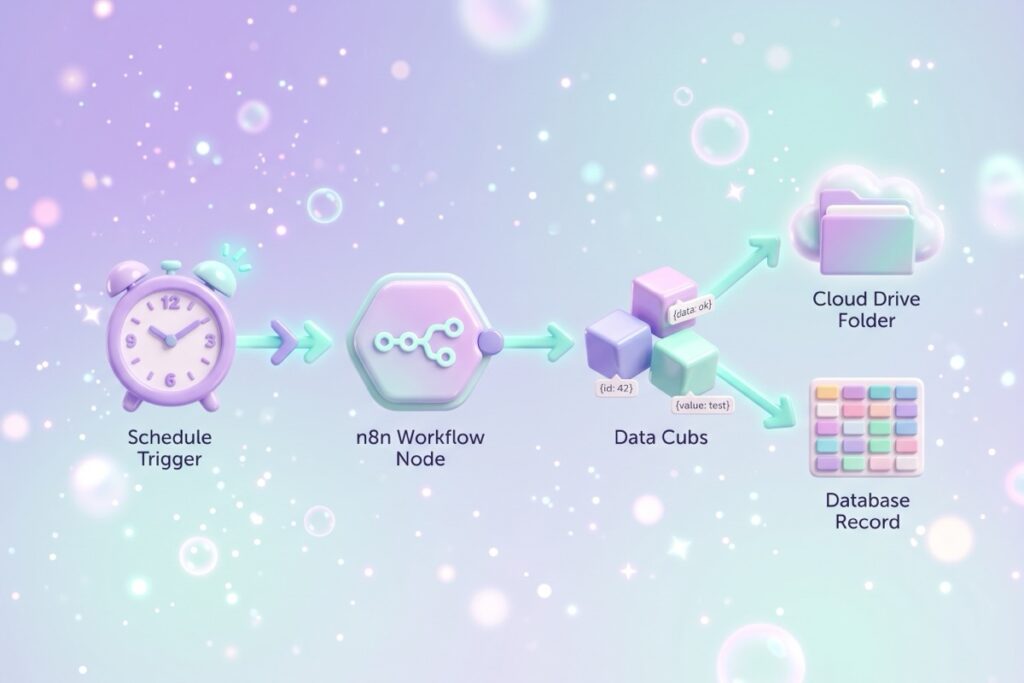
An n8n workflow backup takes ten nodes and about thirty minutes. A Schedule Trigger fires daily, n8n’s own API node fetches every workflow, a Code node turns each one into a JSON file with a stable name, and the workflow either updates the existing file in Google Drive or creates it for the first time. An Airtable row acts as a searchable index. Free at normal volume. It saves workflow files only, not credentials or execution history.
This post contains affiliate links. If you sign up through one, I earn a commission at no extra cost to you. I only point to tools I actually use or would recommend.
I self-host my n8n instance on a Hostinger VPS. When I set it up, there was an option to pay for full VPS backups, and I said no. I had the usual self-hoster brain about it: backups are easy, I’ll figure out my own thing, save the money.
Then about a week later I started thinking about how many workflows I’d already built. I had no copy of any of them outside my n8n instance. If anything happened to the VPS, the database, or my own brain on a Tuesday afternoon, those workflows were gone.
And there’s a second, more real reason I built this: I forget what I’ve even built. The list got long enough where my own catalog was outpacing my memory of it. As I write this there are 191 workflows on my instance, 118 of them active. I could not name half of them from memory.
So I built the workflow this post is about. It runs at 2:30 every morning, grabs every workflow on my n8n instance, saves each one as a JSON file to a Google Drive folder, and logs the backup to Airtable. Ten nodes. Free to run. Quiet in the background since late 2025.
What the workflow does, in plain order
| Step | Node | What it does |
|---|---|---|
| 1 | Schedule Trigger | Fires once a day, mine at 2:30am, set with a cron expression in the node |
| 2 | List backup folder | Google Drive search, lists every file already in the backup folder so the workflow knows what it has |
| 3 | Get many workflows | Uses n8n’s own n8n API node to fetch every workflow on the instance, active and inactive |
| 4 | Prepare backup data | Code node, builds the JSON payload and a stable filename per workflow |
| 5 | Convert to File | Turns each workflow into a real JSON file |
| 6 | Match existing | Code node, looks up each filename in the folder listing from step 2 and attaches the Drive file ID if it’s already there |
| 7 | File exists? | IF node, checks whether that file ID came back empty or not |
| 8 | Update file | File already exists, so Drive overwrites it and keeps the old copy in version history |
| 9 | Upload file | First time seeing this workflow, so Drive creates the file |
| 10 | Create or update record | Upserts a row in Airtable so I have a queryable index |
Steps 8 and 9 are the two branches of the same decision. Any given workflow goes down one of them, never both.
The Drive folder is the rollback material. The Airtable record is the searchable index. Two storage layers, two reasons.
Why one file per workflow instead of a new file every day
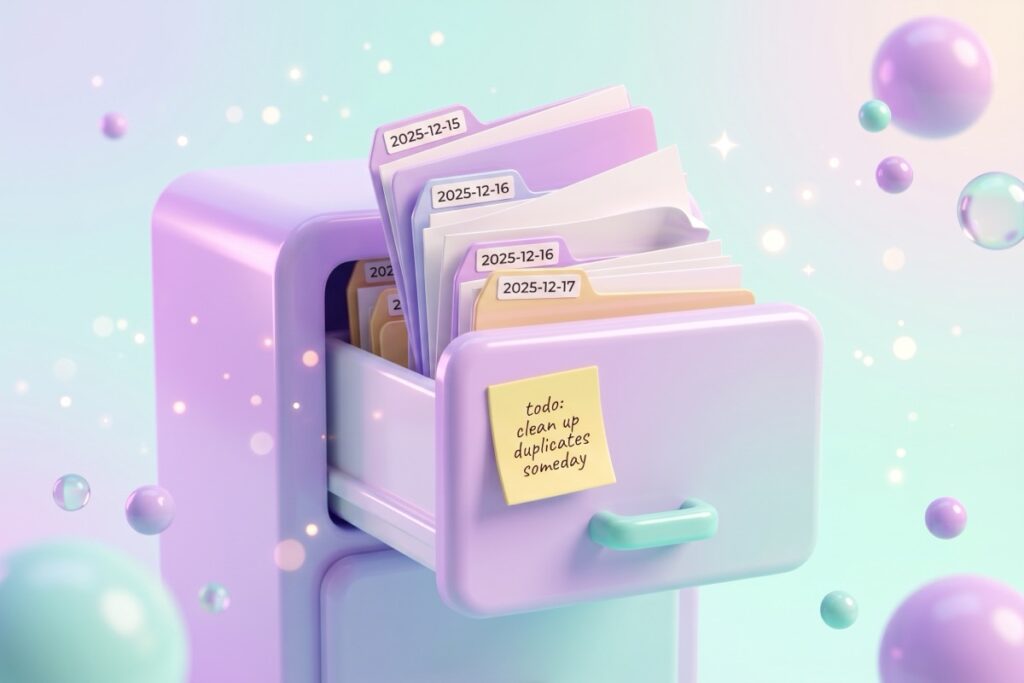
The first version of this workflow wrote a new file on every run. Daily backups meant the Drive folder grew by exactly as many workflows as I had, every single day, and most of those files were byte-for-byte identical to yesterday’s because the underlying workflow hadn’t changed. A few months in, the folder was in the thousands of files.
I wrote here that I’d fix it with hashing: hash each workflow’s content, compare it to the last backup, skip the upload when nothing changed. I never built that. What I did instead was smaller.
Each workflow now gets one file, named after the workflow and its n8n ID, like Blog_Post_Database_y86ix6FNUOxxKcKS.json. No date in the filename. Every night the workflow checks whether that exact filename already exists in the folder. If it does, Drive updates the file in place. If it doesn’t, Drive creates it. The old contents don’t disappear, they move into Google Drive’s version history, which I get for free without writing any code to manage it.
So the folder holds one file per workflow instead of one per workflow per day. Same rollback ability, because Drive keeps the revisions. Less of my own logic to maintain, because Drive is doing the part I was going to hand-roll.
I want to be clear this isn’t the clever version. Hashing would have been the more engineered answer and it would have worked. I picked the one that needed a filename rule and an IF node, because that was the one I would actually finish. The original point stands either way: “backup” without retention rules turns into “hoarding with a different name.”
If you want to see what your own folder turns into, run your numbers through this. It compares keeping every daily copy against hash-and-skip and a rolling cleanup, using your workflow count.
Why I added Airtable in addition to Drive
Drive on its own does the job of holding files. Airtable does two extra things I wanted:
- A queryable history. I can search, sort, and filter every workflow I’ve ever backed up. Drive is fine for one file at a time, but it’s not great when you want to ask “which version did I have before I broke the auth flow.”
- Claude Code access via the Airtable MCP. With the workflows logged in Airtable, I can ask Claude Code in my editor to read across all of them, find patterns, suggest cleanups, or compare older versions to newer ones. The MCP makes my workflow library queryable in a way it wouldn’t be sitting only in Drive. Well, Claude can probably do the same with Drive, but I love my Airtable databases!
The Airtable row stores the workflow name, its n8n ID, whether it’s active, when n8n last updated it, and when I last synced it. Because the node is set to upsert on the workflow ID, each workflow keeps one row that gets refreshed, matching how the Drive file behaves.
If you don’t have Airtable in your stack already, you can skip the Airtable step and just send to Drive. The workflow keeps running cleanly without it.
Is this better than a real VPS backup?
I’m not sure. A real VPS backup would also preserve credentials, execution history, my own database, and the n8n version I was running. This workflow only catches the workflow JSON files. If my VPS evaporated tomorrow, I’d still have to re-set up a new n8n instance, recreate every credential, and re-import each JSON one by one.
So this isn’t an argument for skipping VPS backups. It’s a way to know, no matter what else goes wrong, my workflow files are sitting somewhere safe. It’s the cheap version of insurance, not the comprehensive one.
If I had to do it over, I’d still skip the VPS-level backup on Hostinger and pair this with a manual export of credentials once a month. A Tuesday decision, not a clearly-better-architecture call.
Has it ever saved me?
Not yet. Knock on wood. The peace-of-mind value is the whole point. Knowing the workflows are there is what lets me push edits to my live workflows without flinching.
I did almost lose a different tool’s source code once, a Cloudflare Worker I’d built and never pushed to GitHub. Not n8n, not this backup. But the experience was a reminder: “I’ll set up a backup later” is the road to “I had to rebuild it from the deployed bundle.” Set up the backup before you need it.
Frequently asked questions
How do I back up my n8n workflows?
Build a small n8n workflow that runs on a schedule, fetches every workflow via n8n’s own n8n API node, converts each one to a JSON file, and writes it to cloud storage like Google Drive, Dropbox, or S3. The minimum version is 5 or 6 nodes. Mine is 10 because it also checks whether each file already exists and updates it in place instead of writing a new copy. Build time: roughly 20 minutes for the simple version, 30 for the update-in-place version.
Where should I store n8n workflow backups?
Anywhere outside the same VPS your n8n is running on. Google Drive, Dropbox, S3, R2, and OneDrive all work. The point is, if your VPS goes down, the backups don’t go down with it. I use Drive because it’s free at my volume, the n8n Drive node is simple, and Drive’s built-in version history means I don’t have to write my own retention logic. Bonus: paired with Airtable so the history is queryable.
Should I back up n8n workflows daily or weekly?
Daily if you actively edit workflows. Weekly is fine if your workflows are stable and rarely change. Mine runs daily because I tinker constantly, and yesterday’s backup is the version I want when I break today’s workflow. Daily used to mean storage growth, but once each workflow writes to one stable filename and Drive keeps the revisions, running daily costs almost nothing extra.
How do I stop daily n8n backups from filling my Drive with duplicates?
Three common options. Hash the workflow content and skip the upload when it matches the last backup. Run a cleanup pass that deletes files older than a set age. Or give each workflow one stable filename and update that file in place, which is what I do: the file name is the workflow name plus its n8n ID, with no date in it, and Google Drive’s version history holds the previous copies. The third option needs the least code because the storage provider handles retention.
Will this back up my credentials and execution history?
No. n8n’s API exposes workflow definitions but not the credentials they use, and execution history lives in the n8n database. For credentials, export them manually from the n8n UI on a schedule you trust. For execution history, you’d need a VPS-level backup or a separate database dump workflow.
How much storage do n8n workflow backups take?
Each workflow JSON is typically 5 to 50 KB, and a large one can hit 250 KB. With one file per workflow rather than one per day, 191 workflows land at roughly 10 MB total plus whatever Drive keeps in version history. If you write a new file every day instead, multiply that by the number of days you keep.
What happens if a backup fails?
n8n logs failed executions in its own execution history. The pattern I use is a separate error-handler workflow set as the Error Workflow in this workflow’s settings, so a failure emails me instead of sitting silently in a log. The network-facing nodes are also set to retry before they give up. Without something like that, you find out only when you check the Airtable log and notice yesterday’s row is missing.
How to build a version of this for your own n8n
- Create a Schedule Trigger set to fire once a day, at a time when nothing else is running. Mine uses the cron expression
30 2 * * *, which is 2:30am. - Add a Google Drive node set to search files and folders, returning everything in your backup folder. This is the list the workflow compares against later. Use the query
'YOUR_FOLDER_ID' in parents and trashed = falseand turn on “return all”. - Add an n8n node set to “Get many workflows”. n8n ships with a node connected to its own API, so this needs no extra service.
- Add a Code node named “Prepare backup data” to build the file contents and the filename. The exact code I run is below.
- Add a Convert to File node, operation “Convert to binary”, source property
fileBase64, and set the file name option to{{ $json.fileName }}. - Add a second Code node named “Match existing” that looks each filename up in the folder listing from step 2. Code below.
- Add an IF node that checks whether
{{ $json.driveFileId }}is not empty. - On the true branch, a Google Drive node set to update a file, with the file ID set to
{{ $json.driveFileId }}, “change file content” turned on, and the “keep revision forever” option enabled so the old version stays in history. - On the false branch, a Google Drive node set to upload, pointed at your backup folder, with the name set to
{{ $json.fileName }}. - Optionally add an Airtable node set to upsert, matching on the workflow ID, so you have a queryable history.
One more thing that isn’t a node: open the workflow’s settings and set an Error Workflow, so a failed run emails you instead of sitting in the execution log where nobody sees it. I also turn on retries for the nodes that touch the network, since most failures I see are a transient blip rather than a real problem.
The Code node, for real
“Add a Code node to clean up the workflow object” is the kind of instruction that only helps if you already write JavaScript. So here is exactly what runs in mine. Both of these are copy-and-paste as-is. There are no credentials, API keys, or account IDs in them.
Step 4, “Prepare backup data”. This takes each workflow from the n8n node and produces two things: the file contents encoded as base64, and a stable filename made of the workflow name plus its n8n ID.
// One item per workflow. Build JSON payload + a stable filename.
const output = [];
for (const item of items) {
  const wf = item.json;
  const content = JSON.stringify(wf, null, 2);
  const safeName = (wf.name || "workflow").replace(/[^a-z0-9_\-]+/gi, "_");
  const fileName = safeName + "_" + wf.id + ".json";
  output.push({
    json: {
      fileBase64: Buffer.from(content).toString("base64"),
      fileName,
      workflowId: wf.id,
      name: wf.name,
      updatedAt: wf.updatedAt,
      active: wf.active,
      folderId: wf.folderId || "",
      tags: (wf.tags || []).map((t) => t.name).join(", "),
      archived: wf.isArchived === true,
    },
  });
}
return output;
The replace line is doing the boring but necessary job of stripping characters that don’t belong in a filename. A workflow called “Blog Post Database” becomes Blog_Post_Database. Adding the n8n ID on the end means two workflows with the same name still get their own file.
Step 6, “Match existing”. This is the one that makes update-in-place work. Convert to File wipes out the JSON fields and leaves only the binary, so this node reaches back to the earlier nodes to pair everything up again.
// Convert to File empties item.json (keeps only binary). Pull prepared fields
// from the paired "Prepare backup data" item, which still has fileName etc.
const listed = $("List backup folder").all().map((i) => i.json).filter((f) => f && f.name);
const byName = {};
for (const f of listed) { if (byName[f.name] === undefined) byName[f.name] = f.id; }
const prep = $("Prepare backup data").all();
const out = [];
for (let idx = 0; idx < items.length; idx++) {
  const pj = (prep[idx] && prep[idx].json) || {};
  out.push({
    json: { ...pj, driveFileId: byName[pj.fileName] || "" },
    binary: items[idx].binary,
    pairedItem: { item: idx },
  });
}
return out;
If you rename your nodes, change the names inside the $("...") calls to match, or this node won’t find anything. That’s the edit I’d forget first.
If you would rather generate the code
You don’t have to use mine. If you want a version shaped to your own naming or your own storage provider, paste this into whichever AI assistant you use:
Write the JavaScript for an n8n Code node (Run Once for All Items).

Input: items from n8n's "Get many workflows" node. Each item.json is a
full workflow object with at least id, name, active, updatedAt, tags.

Output: one item per input item, with json containing:
  fileBase64 - the workflow object as pretty-printed JSON (2-space
               indent), then base64 encoded
  fileName   - the workflow name with every character outside
               [a-z0-9_-] replaced by an underscore, then "_", then
               the workflow id, then ".json"
  plus workflowId, name, updatedAt, and active passed through

Use the classic n8n Code node style: loop over `items`, push plain
objects with a `json` key, and `return` the array. No async, no
external packages.
Then paste the result into the Code node and run the workflow once with the Schedule Trigger disconnected, so you can look at the output before anything writes to Drive.
Set this up before you need it
If you self-host n8n and don’t have any kind of workflow backup running yet, this is the cheap version. Half an hour of setup, free storage, daily insurance against the kind of “oh no” capable of ruining a Tuesday. Worst case: you build it and never need it. Best case: you don’t end up rebuilding a Cloudflare Worker from a deployed bundle the way I almost did with my Webhook Tester.
The short version: back up the workflow JSON daily to somewhere outside your VPS, give each workflow one stable filename so the folder doesn’t balloon, keep a searchable log of what ran, and accept that this covers files rather than credentials.
A tool I built
Dopamine Dealer
Track your habits and get a hit of dopamine every time you check one off. No willpower required.
Start your streak →I run an affiliate program on the tools I build. Approved affiliates earn 20% on what their referrals pay, for up to a year. US only for now. See the program →
Related reading
- Should you self-host n8n, or stay on cloud, which is where the no-VPS-backup decision started for me
- The free Webhook Tester, the tool I nearly lost the source code for
Subscribe if you haven’t yet, and in the meantime, go set up your backup workflow. Future you will thank present you.