

You’re in n8n setting up a Schedule Trigger and you need a cron expression. You think you remember the order. Minute, hour, day, month, weekday? Or is hour first? You google it. You guess. You set 0 8 * * * and hope. Twelve hours later you realize your workflow fired at 8pm instead of 8am because your server is in UTC and you forgot.
This is the loop the Cron Expression Builder ends.
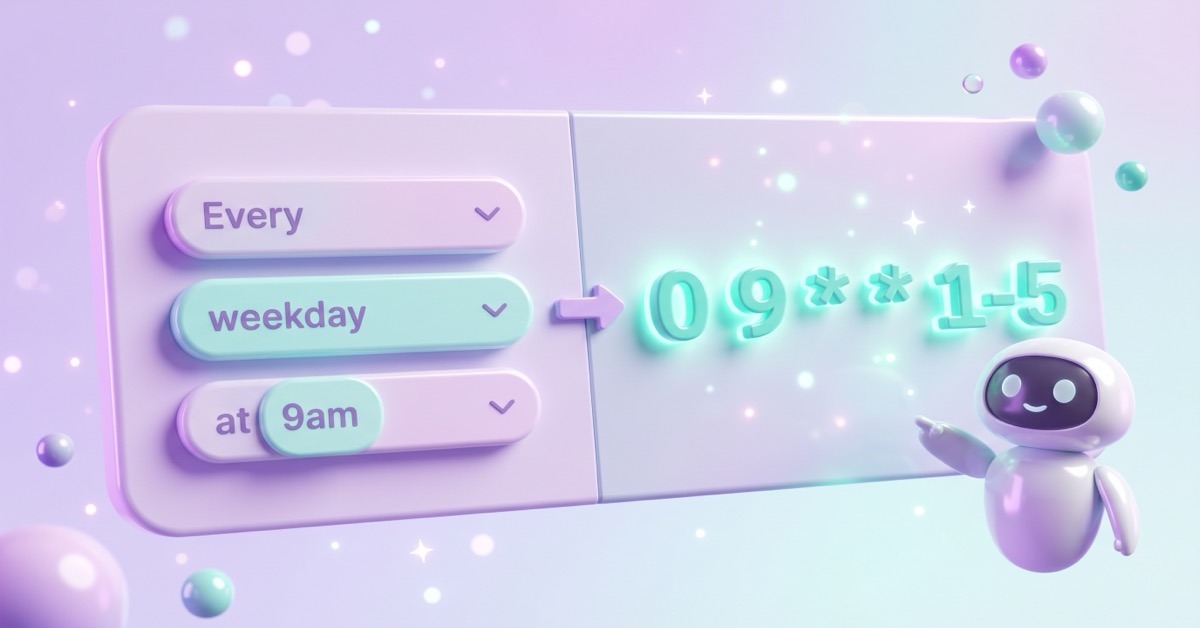
The Cron Expression Builder takes the schedule you want (every weekday at 9am, every 15 minutes, the first of every month), builds the cron expression for you, and shows you what it’ll do in plain English. No memorizing the field order. No second-guessing whether */5 means “every 5” or “on the 5th.” Paste the output straight into n8n’s Schedule Trigger and move on with your day.
This post contains affiliate links. If you sign up through one, I earn a commission at no extra cost to you. I only point to tools I actually use or would recommend.
The cron patterns you’ll use 90% of the time
These are the schedules most n8n workflows need. Bookmark this table or generate them through the builder, whichever’s faster.
| What you want | Cron expression | Plain English |
|---|---|---|
| Every hour, on the hour | 0 * * * * | Top of every hour |
| Every 15 minutes | */15 * * * * | :00, :15, :30, :45 every hour |
| Every weekday at 9am | 0 9 * * 1-5 | 9am Mon through Fri |
| Every Monday at 8am | 0 8 * * 1 | Mondays at 8am |
| Twice a day (8am and 8pm) | 0 8,20 * * * | 8am and 8pm every day |
| First of every month at midnight | 0 0 1 * * | Midnight on the 1st |
| Every Sunday at 6pm | 0 18 * * 0 | Sundays at 6pm |
| Quarterly (Jan, Apr, Jul, Oct on the 1st) | 0 9 1 1,4,7,10 * | 9am on the 1st of those four months |
If you need something outside this list, the builder generates it from a friendly form in about 10 seconds.
What are the 5 fields in a cron expression?
n8n uses standard 5-field cron, same as Linux. The fields, in order:
- Minute (0-59)
- Hour (0-23, in 24-hour format)
- Day of month (1-31)
- Month (1-12)
- Day of week (0-6, where 0 is Sunday)
Each field can be:
- A number:
5means “only when this field equals 5” - An asterisk:
*means “every value of this field” - A range:
1-5means “1 through 5” (used for weekdays a lot) - A list:
1,4,7,10means “those specific values” - A step:
*/15means “every 15 starting from 0” (so*/15in minutes gives 0, 15, 30, 45)
Five fields, five rules per field, infinite combinations. The builder handles all of them.

The three mistakes the builder catches for you
- Setting both day-of-month AND day-of-week. Cron treats these as OR, not AND.
0 9 1 * 1doesn’t mean “the 1st of the month AND Monday at 9am.” It means “the 1st of the month at 9am, OR any Monday at 9am.” If you want a specific Monday of the month, you can’t do it with pure cron. The builder warns you when you set both. - Forgetting your n8n server’s timezone. If your n8n is self-hosted on a UTC VPS and you live in EST,
0 9 * * *fires at 4am your local time, not 9am. The builder shows you the next 5 run times in your local timezone so you can sanity-check before you save. - Using @daily or @hourly. Some cron implementations support shortcuts like
@hourlyand@daily. Standard cron (and n8n) doesn’t. Use the long form:0 * * * *for hourly,0 0 * * *for daily at midnight.

Quick aside on that VPS: I run my own self-hosted n8n on Hostinger, so if you’re standing one up from scratch, that’s the box these cron jobs fire from.
Frequently asked questions
How do I schedule an n8n workflow to run every hour?
Use 0 * * * * in the Schedule Trigger node’s cron expression field. This fires at minute 0 of every hour. If you want every 30 minutes instead, use */30 * * * *. The Cron Expression Builder generates these from a dropdown if you’d rather not memorize.
What does the * symbol mean in cron?
It means “every value for this field.” So * * * * * means “every minute of every hour of every day.” Replace any field’s asterisk with a number to constrain it. 0 * * * * says “minute zero of every hour,” which is hourly on the hour.
Can I use @daily or @hourly in n8n?
No. n8n uses standard 5-field cron and doesn’t support the @ shortcuts. Use long-form equivalents: 0 0 * * * for daily at midnight, 0 * * * * for hourly, 0 0 * * 0 for weekly on Sunday at midnight.
Why doesn’t my n8n cron trigger fire at the time I expected?
Almost always a timezone issue. n8n fires cron based on the server’s timezone, not yours. Self-hosted n8n on a default VPS runs in UTC. If you set 0 9 * * * from EST (UTC-5), it fires at 4am EST, not 9am. Fix: either set your n8n instance timezone in the settings, or adjust your cron to compensate. The Cron Builder shows the next 5 fire times so you can spot this before saving the workflow.
How do I run an n8n workflow once a month on the 1st?
Use 0 0 1 * *, which reads as “minute 0, hour 0, day 1, any month, any weekday.” For different times of day, change the second field: 0 9 1 * * fires at 9am on the 1st instead of midnight.
What’s the difference between */5 and 5 in cron?
5 means “only when this field is exactly 5.” In the minute field, it fires at minute 5 of every hour. */5 means “every 5 starting from 0.” In the minute field, it fires at minute 0, 5, 10, 15, 20, and so on, twelve times per hour. Big difference.
One more thing: bake the time-of-day check in
Before you save any Schedule Trigger, plug your expression into the Cron Builder one more time and read the “next 5 runs” section. If those times don’t match what you wanted, the cron is wrong, not the calendar.
One honest limitation: the builder previews those run times in your own browser’s timezone, not your n8n server’s. It catches the day-of-month and day-of-week trap for you, but it can’t see how your server clock is set. So if your n8n runs somewhere other than where you’re sitting, treat the preview as a sanity check and still confirm the server timezone before you trust it.
The decision rule is simple: never deploy a scheduled workflow without confirming the next fire time first. Five seconds in the builder beats 12 hours of “why didn’t this run?” the next morning.
If you’re also building workflows where you’re not sure whether they’re worth the build time, the Automation ROI Calculator goes naturally with this one.
A tool I built
Energy Battery
Log your energy through the day and watch your battery fill, so you can see what actually charges you and what drains you.
Find your spark →I run an affiliate program on the tools I build. Approved affiliates earn 20% on what their referrals pay, for up to a year. US only for now. See the program →
Related n8n reads
- n8n Workflow to Turn Asana Tasks Into a Daily Plan, a scheduled workflow that leans on exactly this kind of cron trigger.
- How I Back Up Every n8n Workflow Automatically, another set-it-and-forget-it schedule worth having.
If you want to go deeper than cron triggers, the AI Automation Society is a Skool community built around n8n and Claude Code where people swap builds like this one.
Subscribe if you haven’t yet, and in the meantime, go schedule the workflow you’ve been putting off.